 Propel
Debugger Mode
Root-cause analysis with evidence-backed diagnosis. Something is wrong — classify it, prove it, then fix it.
Overview
Debugger Mode is designed for one thing: finding the real cause of a problem before applying any fix. It activates three gates (Gate 0, Gate 1, Gate 4) and a focused skill set that prevents shotgun debugging, symptom patching, and displaced fixes.
Diagnose before fixing. Never apply a fix without presenting the diagnosis first and getting human approval. This is the single most important rule in Debugger Mode.
| Property | Details |
|---|---|
| Active Gates | G0 G1 G4 |
| Active Skills | investigation, systematic-debugging, deep-research, paper-extraction, think-deeply, retrospective, context-hygiene, verification-before-completion, project-customization |
| Not Available | research-design, writing-plans, subagent-driven-research, research-validation, trainer-mode |
| Switch Command | /switch debugger |
Workflow
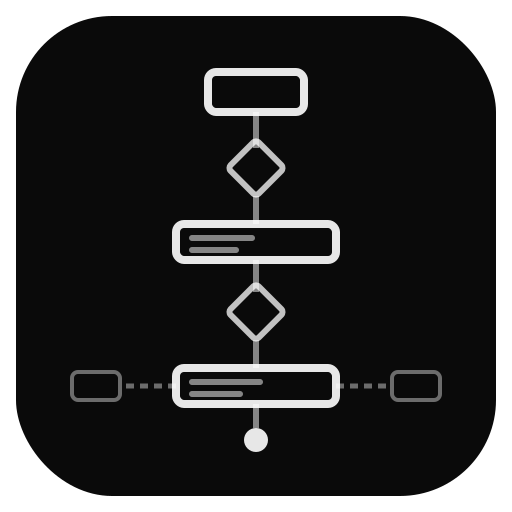
The Debugger workflow is a five-step process that enforces investigation before action at every stage.
Bug Intake Gate 0
Claude asks 3–5 scoping questions to understand the problem. Not "what happened?" but specific, disjunctive questions:
- "Is the loss exploding (going to NaN/inf) or collapsing (going to zero/constant)?"
- "Did this break after a specific commit, or has it always been this way?"
- "Are all configs affected, or just the new one?"
Investigation Gate 1
Claude creates a scratch/ investigation directory and dispatches relevant auditors. Findings are documented in a living README as they accumulate. Investigation ends with a structured presentation:
- 3–5 bullet findings
- Surprises and risks discovered
- Open questions remaining
Bug Classification
Every issue is classified into exactly one of three categories, each with a different evidence standard:
Diagnosis Presentation Gate 4
Claude presents the diagnosis in a mandatory structured format (see Gate 4 Format below). The user must understand and approve before any code changes happen.
Fix & Verify
Only after Gate 4 approval: apply the fix, run relevant tests, and verify the symptom is resolved. If the fix doesn't work, return to Step 3 (not Step 5 with a different guess).
Bug Classification
The classification determines which tools and evidence standards apply. Getting the classification right matters because the fix for a design issue is fundamentally different from the fix for a code bug.
Code Bug
A concrete error in the implementation. The design is correct, but the code doesn't match.
| Evidence Required | Example |
|---|---|
| Specific line numbers | model/vq.py:147 — wrong axis in jnp.mean() |
| Concrete values | Expected shape (B, T, D), got (B, D, T) |
| Traceback or reproduction | Fails on batch size > 1 due to broadcasting |
Design Issue
The code faithfully implements the design, but the design itself is wrong. This is the most dangerous category because the code "works" — it just produces subtly wrong results.
Design issues require references to papers, known failure modes, or established best practices. "I think the architecture is wrong" is not sufficient — you need to cite why it's wrong.
When a design issue is identified:
- deep-research and failure-mode-researcher are dispatched to search literature for documented cases of the same problem
- paper-extraction pulls specifics from relevant papers (equations, algorithms) that show why the current design is flawed
- The diagnosis at Gate 4 includes literature references
- The actual redesign is redirected to Engineer Mode (
/switch engineer), where the full gate pipeline handles the implementation
Environment / Configuration
Neither the code nor the design is wrong — something external is misconfigured.
| Evidence Required | Example |
|---|---|
| Specific config values | learning_rate: 1e-2 should be 1e-4 for this architecture |
| Version mismatches | JAX 0.4.25 changed vmap semantics for this pattern |
| Environment state | CUDA 12.x driver with CUDA 11.x toolkit |
Gate 4: Diagnosis Format
Gate 4 is the mandatory checkpoint before any fix is applied. Claude must present the diagnosis in this exact structure:
Symptom:       What is observed (concrete, measurable)
Root Cause:    What is actually wrong (with evidence)
Why This Happens: The mechanism that produces the symptom
Proposed Fix:   What to change and where
Side Effects:   What else this fix touches
What Won't Fix: Approaches that look promising but won't work (and why)This is often the most valuable part. It documents dead ends so neither the user nor a future session wastes time re-exploring them. Include approaches you considered and rejected, with the specific reason each one fails.
The 3-Strike Limit
If the same debugging approach fails three times, something is fundamentally wrong with the assumptions. The rule is absolute:
- Strike 1: Apply fix based on diagnosis. If it doesn't resolve the symptom, gather more evidence.
- Strike 2: Revised fix based on new evidence. If still failing, question whether the root cause hypothesis is correct.
- Strike 3: Stop. Present what was learned from all three attempts. Ask the user: "My assumption about the root cause may be wrong. Here's what I've learned from the failures. Should I investigate a fundamentally different direction?"
The temptation is to try "one more variation." This is almost always wrong. Three failed attempts of the same approach is strong evidence that the mental model is incorrect, not that the fix needs tweaking.
Anti-Patterns
Debugger Mode is specifically designed to prevent these common debugging failures:
| Anti-Pattern | What It Looks Like | What to Do Instead |
|---|---|---|
| Symptom Patching | Adding torch.clamp() to prevent NaN without understanding why NaN appears |
Trace the NaN to its source. The clamp masks the real problem. |
| Shotgun Debugging | Changing 5 things at once and seeing if the problem goes away | Change one thing. Verify. Then change the next. |
| Displaced Fix | The bug is in the loss function but the "fix" is in the data pipeline | Fix the code where the bug actually is, not where it's convenient. |
| Ignoring 3-Strike | "Let me try one more variation of the same approach" | Stop. Re-examine assumptions. Change direction. |
When to Delegate
Debugger Mode has a focused scope. When an issue crosses into a different domain, redirect rather than try to handle it:
| Situation | Redirect To |
|---|---|
| Design issue requires building new components | /switch engineer — full pipeline for implementation |
| Training run needs launching or monitoring | /switch trainer — runtime debugging and execution |
| Need to understand the literature first | /switch researcher — investigation without implementation pressure |
| Bug turns out to be a feature gap | /switch engineer — this isn't a bug, it's missing functionality |
Auditor Dispatch
In Debugger Mode, auditors are dispatched based on the nature of the investigation:
| If investigating... | Dispatch |
|---|---|
| Numerical issues (NaN, divergence, wrong values) | silent-bug-detector, jax-logic-auditor, data-flow-tracer |
| Paper misalignment ("output doesn't match the paper") | paper-alignment-auditor, failure-mode-researcher |
| Regression ("this used to work") | regression-guard, code-reviewer |
| Environment/simulation issues | env-researcher |
| Design-level concerns | failure-mode-researcher, deep-research |
Example Session
A typical Debugger Mode session looks like this:
User:  /switch debugger
Claude: Debugger Mode active. Gates 0, 1, 4.
        What's the issue?

User:  Training loss goes to NaN after ~500 steps with the new RVQ config.

Claude: [Gate 0 — Bug Intake]
        A few questions to scope this:
        1. Does this happen with the original VQ config, or only RVQ?
        2. Is it consistent (always ~500 steps) or variable?
        3. Which loss component goes to NaN first — reconstruction,
           commitment, or codebook?

User:  Only RVQ. Consistent. Commitment loss.

Claude: Investigating commitment loss in RVQ path...
        [dispatches: silent-bug-detector, jax-logic-auditor]
        [creates: scratch/2026-03-28-rvq-nan/README.md]

        [Gate 1 — Investigation Findings]
        Findings:
        • Commitment loss uses straight-through estimator
        • In RVQ depth-2, the second codebook's gradients are 100x
          larger than the first (no gradient scaling per level)
        • silent-bug-detector flagged: potential gradient explosion
          from unscaled multi-level commitment

        Classification: Code Bug
        Evidence: gradient norms at model/rvq.py:89

        [Gate 4 — Diagnosis]
        Symptom:       NaN at ~500 steps, commitment loss component
        Root Cause:    RVQ commitment loss sums across depth levels
                       without per-level scaling. Level-2 residuals
                       are smaller, so relative gradient is huge.
        Why:           VQ commitment loss assumes single codebook.
                       RVQ adds levels but reuses same loss unchanged.
        Proposed Fix:  Scale commitment loss by 1/num_levels per level,
                       or use separate loss weights per level.
        Side Effects:  Changes training dynamics. May need LR adjustment.
        What Won't Fix: Gradient clipping (masks symptom, doesn't fix
                       the imbalanced scaling)

        Approve fix?